Hi3dai
English

Image conversion

Create an image to 3d model asset

Hi3d turns a clear reference image into a usable 3D starting point for design, games, prototypes, and creative projects. Upload a subject, review the generated form, then refine it for your next step.

1 image
Starting reference
3D output
Editable foundation
Fast review
Visual iteration
Try Hi3d

Use cases

What this variant is good for

A single reference can become a practical first pass when the goal is exploration rather than perfect reconstruction. These workflows give different creators a faster route from visual idea to spatial asset.

Product designers

Use a product photo or concept sketch to explore volume, silhouette, and proportions before investing in detailed CAD work.

Get a visual prototype that helps teams discuss form and direction earlier. For flat references with stronger depth cues, compare it with a 2d to 3d model workflow.
2d to 3d model

Game artists

Start from a creature, prop, or character image when blocking out an environment asset or testing a visual style.

Move from a mood-board image to a rough model that can guide later retopology, sculpting, and material work. A 2d to 3d model route can help when the source is a designed front view.

2d to 3d model

Makers and hobbyists

Turn a drawing, collectible reference, or pet image into a three-dimensional concept for a figurine or physical project.

See how the subject might read from multiple angles before preparing it for fabrication. Use a 2d to 3d model workflow when the image is mostly a clean illustration.

2d to 3d model

Educators and students

Convert a historical object, diagram, or character reference into a tangible model for classroom demonstration or visual study.

Make spatial thinking more accessible with a model that can be inspected, presented, or refined during a lesson. A 2d to 3d model process is useful for orthographic or diagram-like inputs.

2d to 3d model

Output guide

Why a reference image becomes a 3D asset

The source image and generated object serve different purposes. One records a visible view; the other estimates hidden surfaces, depth, and structure so the subject can be inspected in space.

Reference image Generated 3D asset
Primary role Shows the subject from one captured or illustrated viewpoint Provides a spatial form that can be viewed from several angles
Depth information Usually implied through shading, overlap, and perspective Estimated from visual cues and model priors
Hidden surfaces Not visible or directly documented Filled in as an approximation by the generation process
Surface detail Can preserve fine texture and graphic detail in the pixels May simplify small marks while establishing 3D structure
Editing potential Easy to crop, paint, annotate, or retouch Can be positioned, scaled, and refined as a spatial object
Best next step Improve lighting, framing, and subject visibility Check topology, proportions, materials, and export readiness
Typical certainty High for the visible front-facing evidence Strongest on recognizable forms and weaker on unseen geometry
Creative value Excellent for mood, color, and visual reference Useful for blocking, visualization, and downstream iteration

Visual check

See the source become a spatial starting point

The before-and-after view makes the central tradeoff clear: the source supplies visual identity, while the generated asset adds volume that can be inspected and developed.

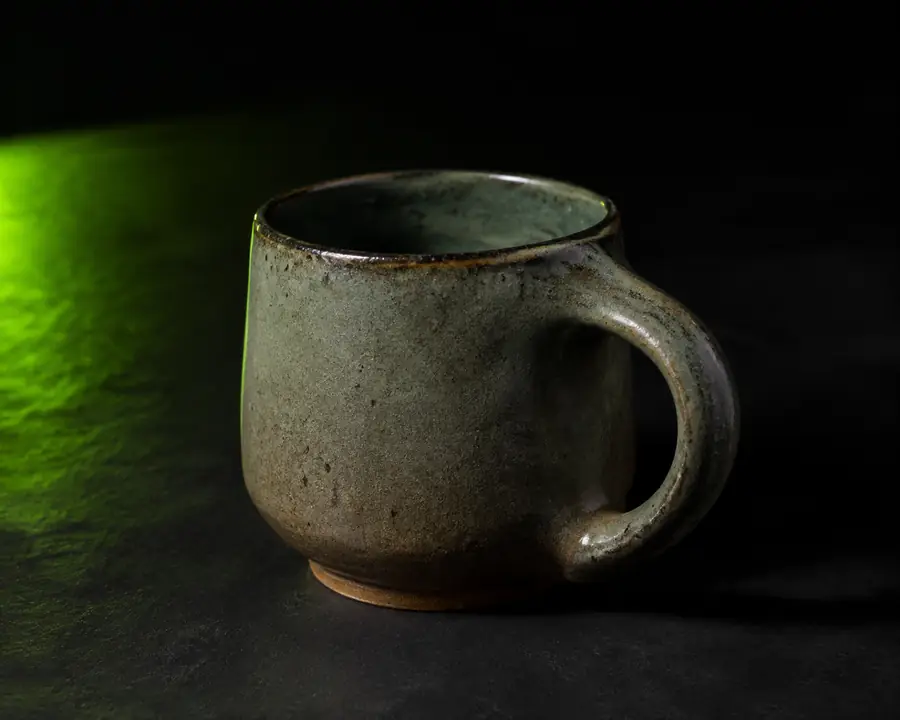
Reference image used as the source
Before: reference image
Generated 3D model shown as a usable starting asset
After: generated 3D model

Treat the result as a strong first pass, not a guaranteed scan. Compare the silhouette, underside, openings, and small features against the source before using it in production.

Before: reference imageAfter: generated 3D model

Workflow context

How image-to-3D workflows evolved

This format grew from a long line of visual reconstruction methods. Each stage reduced manual blocking time while keeping human review important for accuracy and finish quality.

  1. Manual blocking

    Artists built a rough volume by hand from photographs, sketches, or observation, then refined proportions with repeated viewport checks.

  2. Photogrammetry expands

    Multiple photographs began producing dense reconstructed surfaces, especially for well-lit objects with consistent coverage and recognizable texture.

  3. Single-view estimation

    Research systems learned to infer likely depth and hidden geometry from one image, making fast previews possible even when complete coverage was unavailable.

  4. Generative 3D becomes practical

    AI systems combined learned shape priors with image understanding to create usable first-pass assets from ordinary references and illustrations.

  5. Human-guided iteration

    Creators use generated models for ideation and blocking, then verify dimensions, repair geometry, and prepare the asset for its final destination.

Know the limits

Where this route cannot replace judgment

An image gives incomplete evidence. Hi3d can accelerate the first stage, but careful review remains necessary whenever dimensions, hidden structure, or manufacturing quality matter.

1

It cannot recover unseen detail exactly

The back, underside, and internal structure may be inferred rather than copied from evidence.

What to do instead

Supply additional views when available, then inspect every important angle and remodel uncertain areas.

2

It cannot guarantee physical dimensions

A visually convincing result may still have incorrect scale, wall thickness, clearances, or proportions.

What to do instead

Set real measurements in your 3D software and run a dedicated printability or engineering check.

3

It cannot preserve every tiny surface mark

Fine text, thin edges, hair, textures, and delicate cutouts can be softened or converted into approximate geometry.

What to do instead

Use the source image as a detailing guide and recreate critical features manually or with texture maps.

4

It cannot finish production topology automatically

The output may need cleanup before animation, subdivision, simulation, game integration, or precise fabrication.

What to do instead

Retopologize, repair normals, simplify dense areas, and validate the export in the tool used downstream.